Why TikTok and Instagram block App Store links — and how we fixed it for Byde
TikTok and Instagram block App Store and Play Store links in their in-app browsers, breaking bio-link installs. Here's why it happens, what "Action can't be completed" means, and how we fixed it for Byde with pleaseopen.me.
If you've put an App Store link in a TikTok or Instagram bio and watched your install numbers underperform for no obvious reason, you're not imagining it. TikTok and Instagram both interfere with links to the App Store and Play Store inside their built-in browsers — and it's a bigger, quieter problem than most creators and app marketers realize.
We ran into this ourselves while marketing Byde, our smart-closet app for men on iOS. This post covers why it happens, what it looks like when it does, and the free tool we built — pleaseopen.me — to fix it, both for Byde and for anyone else shipping an app.
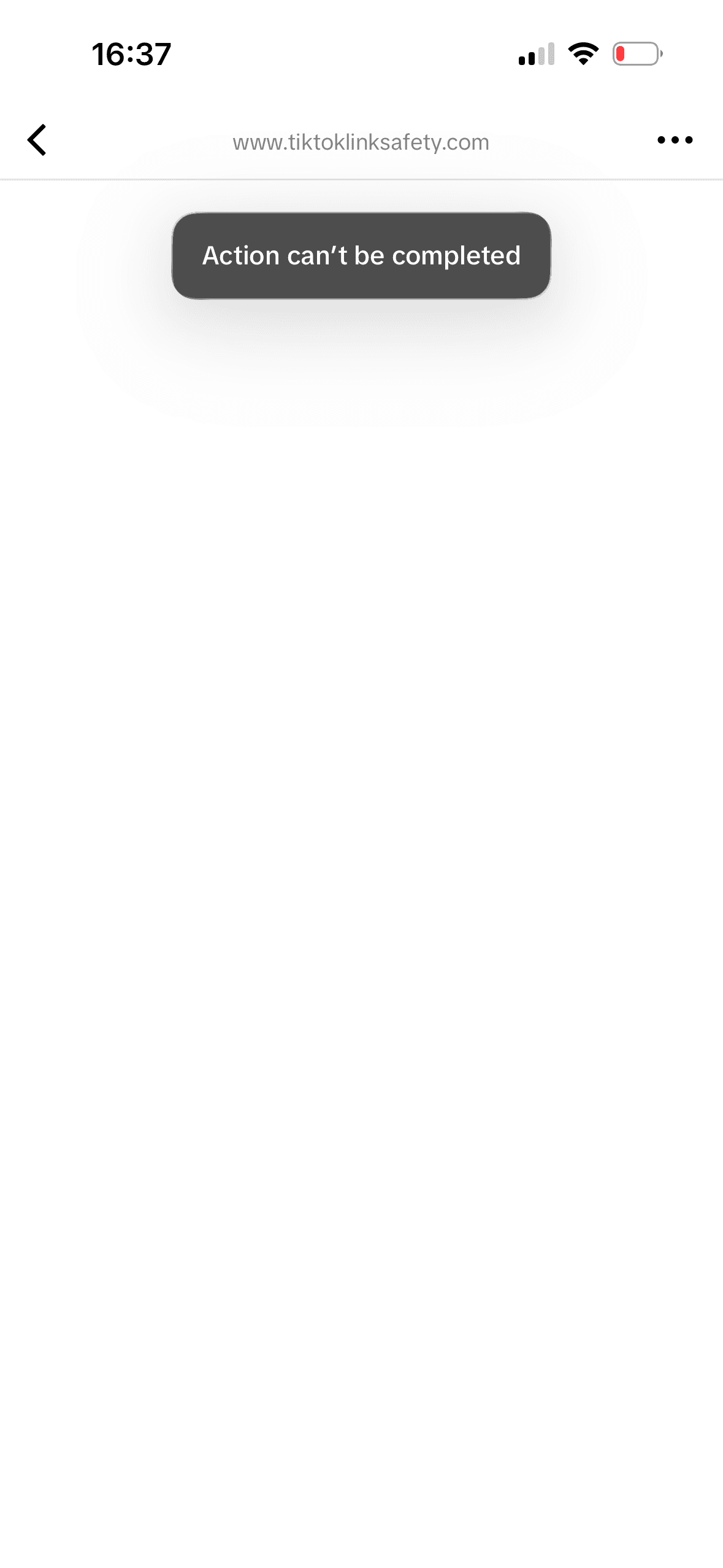
“Action can't be completed” — what's actually happening
If you've seen the error “Action can't be completed” after tapping a link inside TikTok, that's TikTok's in-app browser refusing to hand the link off to Safari or Chrome, and refusing to load the App Store page itself either. The visitor is stuck on a dead end, with no obvious way forward — most just give up and leave.
This isn't a bug in your link. It's deliberate. TikTok, Instagram, and Facebook all render links inside their own in-app browser rather than the phone's default one, and each platform has its own rules — sometimes shifting week to week — about which destinations it lets through cleanly.
Why TikTok blocks App Store links
TikTok's in-app browser is a walled garden by design: it keeps people inside the TikTok app instead of handing them off to Safari, and App Store / Play Store URLs are one of the categories that gets caught by it. There's no reliable auto-redirect that works from inside TikTok's browser — which is why the fix has to be a short, visible step: prompt the visitor to tap “open in browser” themselves, then redirect once they've actually left TikTok's in-app view.
Why Instagram and Facebook block App Store links
Meta's apps behave differently, and the behavior isn't fully static — Instagram and Facebook have both gone through periods of blocking App Store / Play Store links directly in their in-app browsers, which is where a lot of the “my bio link stopped converting” confusion comes from: nothing changed on your end, but the platform's handling of store links did. Where an automatic escape from the in-app browser is possible, it can happen without the visitor noticing — no tutorial step needed. Where it isn't, the same open-in-browser handoff TikTok needs becomes the fallback.
It's not your bio-link tool's fault
A common troubleshooting step is switching bio-link tools — Linktree to Beacons, Beacons to a custom page, and so on — hoping a different layout fixes conversion. It usually doesn't, because the block isn't happening at the bio-link layer. It's happening in the in-app browser itself, before the visitor ever reaches your store listing. If your Linktree page opens fine but the store button on it still fails, that's the same underlying issue: the browser, not the tool.
How we fixed this for Byde
At eighteen1, this stopped being a theoretical problem the moment we started running TikTok and Instagram traffic to Byde. Byde is an iOS wardrobe app — you build a digital closet from clothes you already own and get outfit suggestions, and most of our early audience finds it through short-form video, not search. That means almost all of our install traffic starts inside an in-app browser, which is exactly the traffic TikTok and Instagram interfere with.
We needed a link that would:
- Escape Instagram and Facebook's in-app browser automatically where possible, landing visitors on the App Store with no extra steps.
- Walk TikTok visitors through a short “open in browser” tutorial where auto-escape isn't reliable, then redirect them straight to the store.
- Detect the visitor's device and send iOS traffic to the App Store and Android traffic to Google Play — from one single link, so we didn't need separate bios or split traffic manually.
Nothing free or existing did all three cleanly, so we built pleaseopen.me and pointed Byde's own “Download on the App Store” button at pleaseopen.me/byde. It's been running in production on Byde's TikTok and Instagram bios since.
What pleaseopen.me does
The core of the tool is the redirect: one link, in your bio, that gets visitors past the in-app browser blocks and onto the correct store for their device — App Store for iOS, Play Store for Android, no manual splitting.
Beyond the redirect, we kept adding pieces we ourselves needed while shipping apps without a full marketing site:
- Free privacy policy generation and hosting. App Store Connect and Play Console both require a live privacy policy URL before you can submit. Instead of standing up a whole website for one page, pleaseopen.me asks a few questions about your app — what data you collect, which SDKs you use (analytics, ad networks, crash reporting) — and generates and hosts a policy that actually matches your app, at
pleaseopen.me/yourapp/privacy. - Free ads.txt and app-ads.txt hosting. If you're running ads through AdMob, AppLovin, Meta, or similar, those networks crawl your developer domain for an ads.txt file, and no file usually means lower fill rates. pleaseopen.me hosts it at the domain root crawlers expect — no domain of your own required.
- “Coming soon” pages for platforms you haven't shipped to yet (in progress). If your app is live on iOS but not Android yet, or vice versa, you can point your bio link at a page that tells visitors it's on the way for their platform instead of sending them to a dead store listing or nothing at all.
- Multi-button, Linktree-style pages, if you want pleaseopen.me to be your whole bio page rather than just the store redirect — with themes, custom branding, and custom domains if you want visitors to never see the pleaseopen.me domain at all.
Everything above the paid tier (custom domains, multiple apps under one account) is free, including the redirect itself, the privacy policy hosting, and the ads.txt hosting.
If you're seeing this on your own app
A few quick things worth checking if App Store or Play Store links in your bio aren't converting the way you'd expect:
- Test the link from inside TikTok and Instagram specifically, not just in Safari — the failure only shows up inside the in-app browser.
- If you're on Linktree, Beacons, or your own site, check whether the store buttonon that page fails when the page itself was opened from a bio — that's the same block, one layer deeper.
- If you don't have a developer website yet, you'll hit the privacy policy and ads.txt requirements separately from the link-blocking issue — worth solving both at once rather than one at a time.
You can create a free redirect at pleaseopen.me in about a minute — claim a slug, add your store links, and swap it in wherever your App Store or Play Store link currently lives.